
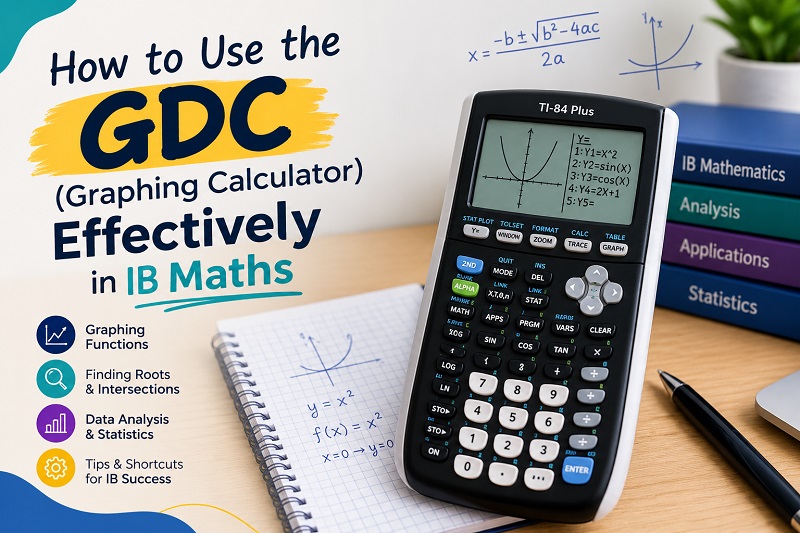
Every year, IB students in Delhi lose marks in Maths not because they don’t understand the topic, but because they don’t know how to use their graphing display calculator (GDC) well. A GDC can solve an equation in seconds, but only if you know which menu to open, what to type and how to write the answer. Used badly, it wastes time, creates rounding errors and hides mistakes.
This guide from Teaching Academy explains exactly how to use the GDC effectively in IB Mathematics, from the essential skills to exam-day habits. Whether you study Maths Analysis and Approaches (AA) or Applications and Interpretation (AI), at SL or HL, these strategies will help you save time and protect marks.
Key Takeaways: Using the GDC in IB Maths
- A GDC is a graphing display calculator approved by the IB for use in specific papers and assessments.
- Master six core skills: graphing, solving equations, finding intersections, statistics and regression, probability distributions, and the finance solver.
- Always show your method. Write down the equation or function you entered, because IB markers award method marks, not just final answers.
- Give answers to three significant figures unless the question says otherwise.
- Practise with past papers so that GDC steps become automatic.
What Is a GDC in IB Maths?
A GDC is a handheld calculator that can plot graphs, solve equations numerically, run statistical calculations and work with probability distributions. In IB Maths, it is a required tool for students, and it is expected that you can use it confidently throughout the course.
Popular GDC models among IB students include the TI-84 Plus CE, TI-Nspire CX II (non-CAS) and Casio fx-CG50. The IB publishes rules on which calculators are permitted, and calculators with a computer algebra system (CAS) are generally not allowed in exams. Always check the current IB approved calculator list and confirm with your school’s IB coordinator before buying one.
When Can You Use a GDC in IB Maths Exams?
The rules depend on your course:
- Maths AA (SL and HL): Paper 1 is a no-calculator paper. Paper 2 allows a GDC. HL Paper 3 allows a GDC.
- Maths AI (SL and HL): A GDC is allowed on all papers, so GDC fluency is central to your success.
- Internal Assessment (IA): You may use a GDC and other technology freely, and good use of technology can strengthen your exploration.
Because AA Paper 1 does not allow a GDC, you still need strong algebra skills. The GDC supports your maths. It does not replace it.
6 Essential GDC Skills Every IB Maths Student Needs
1. Graphing Functions and Setting the Right Window
The most common GDC problem is a graph that looks wrong because the window is wrong. Before you panic, check your window settings (Xmin, Xmax, Ymin, Ymax).
How to do it well:
- Enter the function carefully, using brackets around numerators and denominators.
- Start with a standard window, then use zoom features to fit the graph.
- Look for key features: intercepts, maximum and minimum points, asymptotes and domain restrictions.
- In exams, sketch what you see and label key points, since many questions require a sketch with coordinates.
2. Solving Equations Graphically
When an equation is difficult or impossible to solve by hand, plot each side as a separate function and find where they meet.
Steps:
- Enter the left side as Y1 and the right side as Y2.
- Adjust the window so the intersections are visible.
- Use the intersection tool to read the x-values.
- Write the answer to three significant figures.
Many GDCs also have a dedicated equation solver, which is useful for polynomial and simultaneous equations. Learn both methods, because some questions suit one better than the other.
3. Finding Zeros, Maximum and Minimum Points
Optimisation and graph questions often ask for roots, turning points or the range of a function. Your GDC’s graph analysis menu can find zeros, maxima, minima and points of intersection quickly.
Pro tip: If the question says “find the maximum value,” give the y-value. If it says “find where the maximum occurs,” give the x-value. Reading the question precisely prevents avoidable errors.
4. Statistics: Mean, Standard Deviation and Regression
Statistics is where the GDC saves the most time, especially in Maths AI.
- Enter data in lists and use one-variable statistics for mean, median, quartiles and standard deviation.
- Use two-variable statistics for the correlation coefficient (r) and the regression line.
- Choose the right regression model (linear, quadratic, exponential or others) based on the question.
- Copy the full equation with the correct variables, not just the numbers.
When interpreting results, always connect them to the context. Saying “r = 0.92 shows a strong positive correlation between study hours and test score” earns more credit than the value alone.
5. Probability Distributions
For normal and binomial distributions, your GDC replaces the old statistical tables.
- Normal distribution: Use the normal CDF function for probabilities and the inverse normal function when you know the probability and need a value.
- Binomial distribution: Use binomial PDF for exactly k successes and binomial CDF for at most k successes.
A useful habit is to sketch a quick bell curve, shade the required area and then decide which function to use. This also earns method marks in many mark schemes.
6. The Finance Solver (Mainly Maths AI)
The finance application handles compound interest, loans, annuities and depreciation. You will need to enter N, I%, PV, PMT, FV, P/Y and C/Y correctly.
The usual errors are:
- Forgetting the sign convention (money paid out is negative, money received is positive).
- Mixing up payments per year (P/Y) and compounding periods per year (C/Y).
- Leaving the unknown value blank without solving for it.
Write down each value you entered. If one input is wrong, you can still earn follow-through marks.
Common GDC Mistakes That Cost IB Marks
- Rounding too early. Store full values in your calculator memory and round only at the end.
- Writing only the answer. Always write the function, equation or command you used.
- Wrong angle mode. Check whether your calculator is in degrees or radians before every trigonometry question.
- Missing brackets. Typing 1/x+2 is not the same as 1/(x+2).
- Ignoring the window. A missing intersection is often just outside the visible screen.
- Giving too many or too few significant figures. The IB default is three significant figures.
- Over-relying on the GDC. Some questions test exact answers, which need algebra.
- Low batteries and wrong settings on exam day. Check mode, memory and battery in advance.
How to Use Your GDC Strategically in the Exam
Read first, then decide. Ask yourself whether the question needs an exact answer (algebra) or an approximate one (GDC). Words like “hence,” “show that” and “exact value” usually signal algebra.
Show your working. Write a short line such as “Using GDC, intersection of y = x² + 2 and y = 5x − 1” and then the result. This is how you collect method marks.
Sketch before you solve. A rough sketch confirms the answer makes sense.
Check reasonableness. If a probability is greater than 1 or a standard deviation is negative, something went wrong.
Manage time. Practise GDC-heavy questions under timed conditions so that menu navigation becomes quick.
Using the GDC in Your IB Maths Internal Assessment
In the IA, technology can strengthen your mathematical exploration. You can use your GDC to plot data, fit models and test hypotheses. To score well, explain why you chose a method, include screenshots or clear descriptions of the output and interpret results in context. Avoid presenting calculator output without commentary, because marks are awarded for understanding, not for pressing buttons.
A Simple 4-Week Plan to Master Your GDC
- Week 1: Learn the basics, including graphing, window settings and mode settings.
- Week 2: Practise solving equations, intersections and turning points.
- Week 3: Work on statistics, regression and probability distributions.
- Week 4: Do timed past paper questions and review every GDC error in a mistakes log.
Ten focused minutes a day is more effective than one long session before the exam.
Frequently Asked Questions
Which GDC is best for IB Maths?
The TI-84 Plus CE, TI-Nspire CX II (non-CAS) and Casio fx-CG50 are widely used. The best choice is the one your school permits and the one you can operate confidently. Confirm with your IB coordinator before purchasing.
Is a GDC allowed in IB Maths AA Paper 1?
No. In Maths AA, Paper 1 is a no-calculator paper. A GDC is allowed in Paper 2 and in HL Paper 3.
Do I need to show GDC steps in IB Maths exams?
Yes. Writing the function, equation or command you used helps you earn method marks even if the final number is slightly off.
How many significant figures should I use?
Unless the question says otherwise, give final answers to three significant figures.
Can a GDC replace learning algebra?
No. Many IB questions require exact answers, proofs or algebraic reasoning that a GDC cannot provide. Strong students combine both.
How can I practise GDC skills for IB Maths?
Use IB past papers, work through topic-wise question banks and keep a mistakes log. An experienced IB Maths tutor can also correct your keystroke habits and exam technique.
Get Expert GDC and IB Maths Support in Delhi
Knowing which button to press is only half the battle. Knowing when to use the GDC, how to present the result and how to avoid examiner penalties is what lifts a grade 5 to a 7.
At Teaching Academy, our experienced IB Maths tutors help students in Delhi, Gurgaon, Noida and across NCR, with one-on-one online and in-person sessions for Maths AA and AI at SL and HL. We train students on GDC models such as the TI-84 and Casio fx-CG50, build exam-ready techniques and provide structured IA guidance.
Book a free demo class with Teaching Academy today and see how confident GDC use can transform your IB Maths results.